


My Diary - Daily Diary Journal
4.828.65K Reviews
App Specs
- Version
- 1.04.16.0813
- Updated On
- License
- Free
- Downloads
- 50,000,000+
- Developer
- Dairy App & Notes & Audio Editor & Voice Recorder
- Categories
- Lifestyle
- Platform
- Android, iOS
Screenshots




 Analysis by AppCompare
I like a diary best when it makes it easy to capture a thought before the moment passes, but does not turn writing into another chore. My Diary - Daily Diary Journal aims for that approachable feel: a private place for everyday reflections, with ways to make entries more personal than a page of plain text. In my experience, its appeal is less about elaborate organization and more about having a familiar spot to return to when I want to record a day, a mood, or a detail I might otherwise forget.
What connectivity changes in a diary
A journal is personal, but the way it works can depend on more than the words you type. Here, features such as audio and photo entries, as well as cloud syncing, make connectivity relevant. I would treat the writing itself and any features that may involve sharing or syncing as separate parts of the experience: if I am somewhere with an unreliable connection, I would avoid assuming that every connected function will behave exactly as it does at home.
That distinction matters most when an entry is important. If I want to save a quick thought while traveling, I can keep the entry simple and check that it appears as expected later. For photos, audio, and syncing across devices, I would make a habit of confirming the result rather than relying on an assumption about when a transfer happens. That is a practical precaution, not a reason to avoid those tools.
A journal for different kinds of days
Because this is a lifestyle app rather than a work database, I find it best suited to personal routines: a short morning intention, a record of a difficult conversation, or a note about something worth remembering. The password protection is especially relevant if I write candidly and sometimes hand my phone to someone else. It adds a layer of privacy, though I still would not treat a locked diary as a substitute for careful device security.
The app comes from Dairy App & Notes & Audio Editor & Voice Recorder, and it is free to install, with optional in-app purchases ranging from $0.99 to $59.99 per item. Its average rating is 4.8 from around 1.2 million ratings, and it has more than 50 million installs. Those figures suggest that the basic idea has broad appeal, but I would still choose it based on whether its journal format fits my habits rather than popularity alone.
What I would check before relying on it
My first practical check would be to create a brief test entry, then try the parts I expect to use: locking the diary, adding a photo or audio clip, and checking how sync behaves between devices if I plan to use more than one. That small trial helps me understand the workflow before I have years of writing collected there. It is also a useful way to decide whether the interface suits quick notes or whether I would rather write longer reflections elsewhere.
For a data-conscious routine, I would keep entries focused and use attachments only when they add something meaningful. A written note may be enough to preserve a memory without adding a large media file, while an audio entry can make sense when speaking is faster than typing. I would also review the app’s current settings before changing devices or depending on sync, so my expectations match the options actually available to me.
Worth Reading Before You Choose

Flipboard Shows What News Apps Must Do Beyond the Feed

Switching to Android Auto Means Rethinking Your Driving Routine

Google Calendar Makes a Crowded Week Easier to Manage

Ludo King Makes the Most of the Minutes Between Plans

Baby Panda World Brings Quick Play to Modern Phones, but Its Game Library Feels Busy

ESPN’s Live Game View Makes Following Close Games Easier
Where it fits—and where it may not
Compared with a plain notes app, a dedicated diary makes the act of journaling feel more intentional: themes, mood logging, prompts, and password protection are oriented toward personal reflection. Compared with a paper notebook, it can hold text alongside photos and audio, but it also brings the usual digital considerations of device access and connectivity. If you need a shared team workspace, advanced document editing, or a journal that you can verify works entirely without a network, I would look for a tool built specifically around that requirement.
The app is free, rated for Everyone, and listed for Android 7.0 and above; its current version is 1.04.09.0121, and it was released on Sep 5, 2020. It is a straightforward option for someone who wants one personal place for writing and media, and the prompts can help when a blank page feels awkward. Someone who prefers paper, wants extensive long-form editing, or is uncomfortable keeping sensitive reflections on a phone may be happier with a different approach.
For everyday use, I would build a low-pressure routine rather than aim for a perfect daily record. After dinner, for example, I could write two lines about what went well, tag the entry, and add a photo only if it helps me remember the scene. If I am away from a dependable connection, I would keep the note concise and check later that any media or cross-device changes have settled. That keeps the habit useful without making network access part of the ritual.
Privacy and recovery deserve a little thought before a diary becomes important. A password can discourage casual browsing, but I would choose a code I can remember and avoid putting highly sensitive information into any app unless I am comfortable with how I manage access to my phone and account. Before relying on cloud sync as my only safety net, I would test it with a harmless entry and confirm that it appears where I expect. A successful test is more reassuring than assuming that a feature name guarantees a particular recovery outcome.
There is also a useful trade-off between capturing a moment richly and keeping the journal easy to maintain. Audio can preserve the way a thought sounded when I had no time to type, and a photo can anchor a memory in a place or event. But attachments can make entries feel heavier to create and revisit. I would use them selectively: a voice note for a fleeting reflection, a photo for a detail that text cannot describe, and plain writing for the rest. This keeps the diary from becoming a collection of media that I rarely review.
Getting Started
First things first, downloading My Diary - Daily Diary Journal was a breeze. Available on both Android and iOS, it’s just a tap away on your respective app store. Once installed, I was greeted by a clean and user-friendly interface. It feels like the app is inviting you to start writing, almost like it’s whispering, "Go ahead, tell me what’s on your mind."
Features That Stand Out
Now, let’s talk about the features. This app isn’t just a plain old diary. It’s packed with a ton of cool features that make journaling fun and engaging.
- Customizable Themes: You can personalize your diary with different themes. Whether you're into something minimalistic or a bit more colorful, there's something for everyone.
- Password Protection: Ever worried about someone sneaking a peek at your journal? Fear not! With password protection, your secrets are safe and sound.
- Photo and Audio Entries: Sometimes words aren’t enough. Add photos or even record audio entries to capture the moment better.
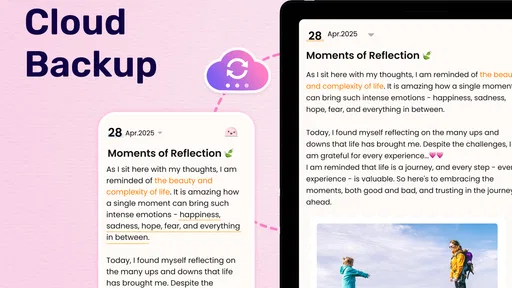
- Cloud Sync: Never lose your entries. Sync them across devices and access them whenever you need.
Using the App
Writing in the app feels natural. The text editor is straightforward, and I loved the option to tag entries. This little feature makes it super easy to find previous entries related to specific topics or emotions. The app also offers prompts if you’re facing a writer’s block, which I found pretty helpful.
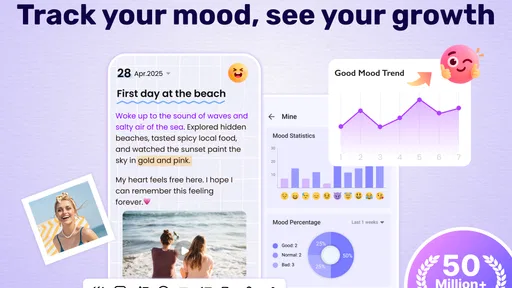
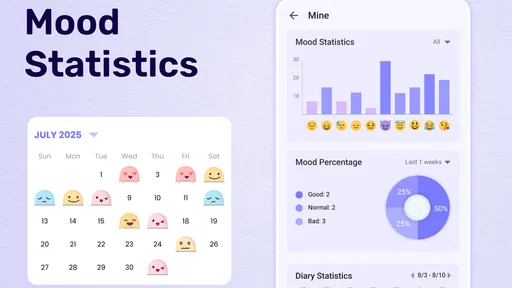
Another thing I appreciated was the mood tracker. It lets you log how you’re feeling each day. Over time, it builds a pattern, giving you insights into your emotional well-being. It’s like having a mini therapist in your pocket!
Why You'll Love It
If you’re someone who loves journaling, or if you’re looking to start the habit, this app is a solid choice. It’s simple to use, yet packed with features that make it more than just a digital notebook. The ability to customize and secure your entries adds a personal touch, making it feel genuinely yours.
I’ve found myself reaching for it during my morning coffee, jotting down dreams from the night before, or at the end of a long day, reflecting on what’s happened. It’s versatile, catering to both serious journaling and casual note-taking.
Final Thoughts
All in all, My Diary - Daily Diary Journal is a fantastic app for anyone looking to keep their thoughts organized and secure. It’s like having a trusty sidekick that’s always ready to listen. Whether you’re jotting down fleeting thoughts, detailed plans, or deeply personal reflections, this app has got you covered.
So, why not give it a try? Download it, start writing, and see where your thoughts take you. Who knows, you might just discover a new side of yourself in the process!
Pros
- User-friendly interface for easy navigation.
- Customizable themes to personalize your diary.
- Secure with password and fingerprint protection.
- Cloud backup ensures data safety and syncing.
- Rich text formatting for creative entries.
Cons
- Limited free features without subscription.
- Occasional ads may disrupt user experience.
- No offline access to some features.
- Syncing issues reported by some users.
- Limited export options for diary entries.
FAQs for My Diary - Daily Diary Journal
What features does My Diary - Daily Diary Journal offer?
My Diary - Daily Diary Journal provides a range of features including customizable themes, password protection, and cloud synchronization. Users can add photos, voice notes, and tags to entries. The app also offers mood tracking and the ability to set reminders for journaling, making it a versatile tool for daily documentation.
Is My Diary - Daily Diary Journal available offline?
Yes, My Diary - Daily Diary Journal can be used offline, allowing you to write entries without an internet connection. However, to back up your data to the cloud and sync across devices, an internet connection is required. This ensures your entries are safe and accessible whenever needed.
How secure is My Diary - Daily Diary Journal?
The app offers strong security features, including password protection and fingerprint lock. These features ensure your personal thoughts remain private. Additionally, data encryption is used to protect your entries, and cloud storage options are available for secure backups.
Can I customize my diary entries in My Diary - Daily Diary Journal?
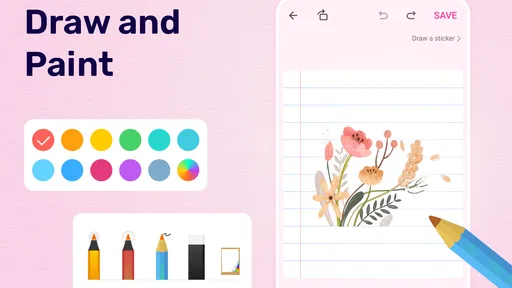
Absolutely! My Diary allows extensive customization of entries. You can choose from various fonts, colors, and themes to match your style. The app also supports the addition of images, voice notes, and tags, enabling you to personalize and organize your diary entries effectively.
Does My Diary - Daily Diary Journal support multiple languages?
Yes, My Diary - Daily Diary Journal supports multiple languages, making it accessible to a global audience. Users can easily switch between languages in the settings, ensuring that everyone can enjoy a seamless journaling experience in their preferred language.


